By OTechHub Editorial Team | Last researched: November 3, 2026
Banking requirements vary by country and financial institution. This article provides general educational information, not legal or banking advice.
Paper checks remain part of business payment operations. Companies use them to pay suppliers, contractors, employees, landlords, and service providers. Although specialist printing companies can produce checks in bulk, some businesses prefer to print them internally whenever a payment is approved.
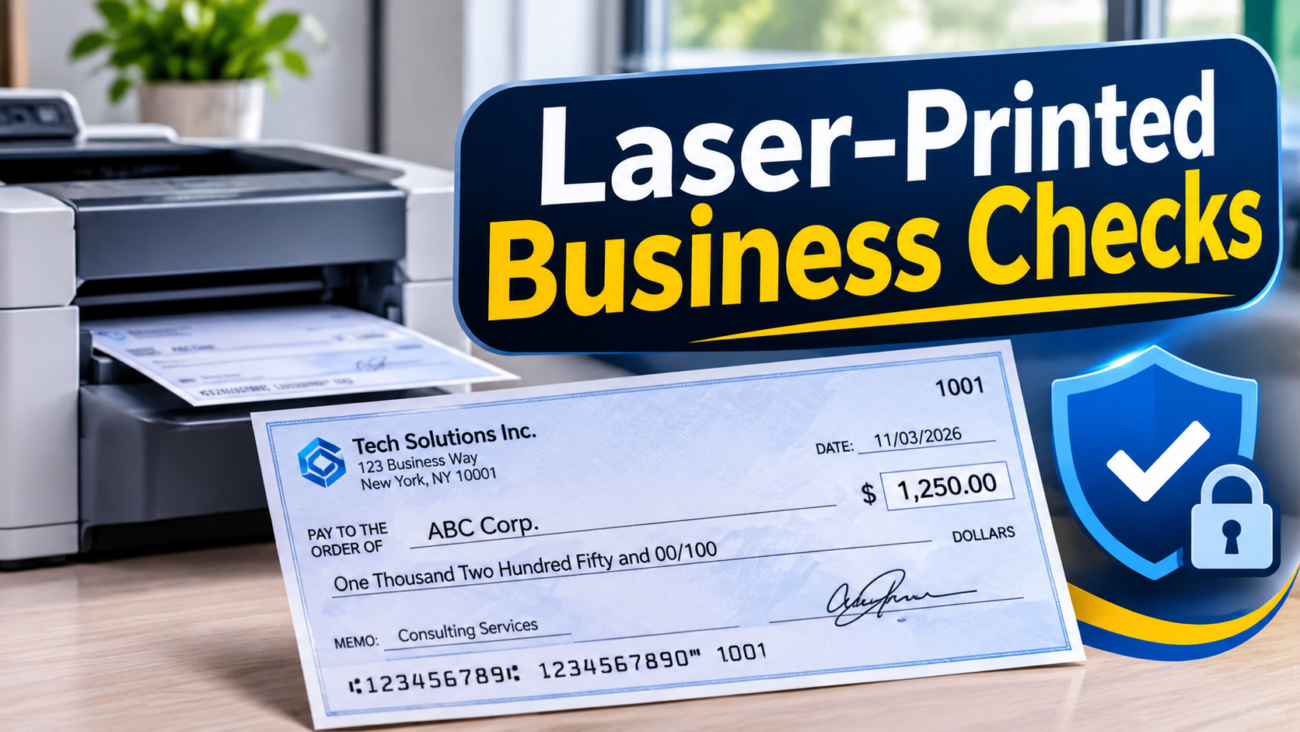
Laser-printed business checks are checks produced using a laser printer, compatible check stock, and accounting or check-printing software. Depending on the type of stock, businesses may also need magnetic ink character recognition (MICR) toner to print the banking information along the bottom of the check.
In-house check printing can give businesses more control over payment schedules, check layouts, and accounting workflows. However, it also creates responsibilities involving printing accuracy, bank requirements, payment authorization, and fraud prevention.
This guide explains how laser-printed business checks work, when MICR toner is necessary, what equipment businesses need, how to print checks correctly, and how to decide between in-house and outsourced printing.
Quick Answer: What Do You Need to Print Business Checks?
A business considering in-house check printing generally needs:
- A compatible laser printer.
- Suitable business check stock.
- Check-printing or accounting software.
- MICR toner if it prints its own MICR line.
- Accurate banking and payment information.
- A bank-confirmed check layout and applicable specifications.
- Secure storage and payment approval procedures.
The most important first step is to contact your bank. Do this before purchasing equipment or printing live checks because the required format, stock, and processing specifications can vary.
What Are Laser-Printed Business Checks?
A business check is a payment instrument that instructs a financial institution to pay a specified amount to a named recipient from a business account.
Commercial check-printing providers traditionally produce checks using specialized equipment and security-focused production processes. Laser printing offers another approach: the business prints its checks internally using a compatible office printer and software.
There are two main printing methods.
1. Preprinted MICR check stock
Preprinted MICR stock already contains the required banking information along the bottom of the check. Depending on the format, this can include the routing number, account number, and check number.
The business prints the remaining information, such as:
- Payee name
- Date
- Numeric payment amount
- Written payment amount
- Memo information
- Authorized signature
Because the MICR line is already printed, magnetic toner is generally unnecessary for the remaining fields. Regular laser toner may be used, subject to the printer, stock, and bank requirements.
2. Blank check stock
Blank check stock has a check layout and may include security features, but it does not have the complete banking information printed along the bottom.
The business prints the payment details and the MICR line itself.
This approach generally requires compatible MICR toner, a suitable printer, and software capable of generating the correct MICR characters and positioning.
Which printing method should a business choose?
Preprinted stock can simplify the printing process, particularly for businesses using a limited number of accounts. Blank stock can offer more flexibility when a business manages several accounts or needs to produce different check layouts.
However, flexibility also means greater responsibility for configuration and quality control.
The right choice depends on payment volume, bank requirements, printer compatibility, and the level of control the business wants over check production.
How Does Laser Check Printing Work?
Laser check printing follows a sequence that begins with approved payment information and ends with a completed check.
- Payment preparation: The accounting system stores the payee, payment amount, invoice reference, and check number.
- Payment approval: An authorized employee reviews the payment before it enters the printing process.
- Check formatting: The software positions the payment information in the correct fields. For blank stock, it also generates the MICR line.
- Laser printing: The printer transfers toner onto the check stock using heat. Compatible magnetic toner is used when the business prints a MICR line that requires magnetic ink.
- Quality inspection: Staff check the printed information, alignment, and print quality.
- Authorization and delivery: The check is signed through an authorized process, recorded, and delivered to the recipient.
- Bank processing: The recipient deposits the check, and the relevant banking systems process the payment.
Unlike ordinary document printing, check production requires attention to banking information, print positioning, security, and authorization. A visually attractive check is not necessarily a correctly formatted or processable check.
Understanding MICR Technology
MICR stands for Magnetic Ink Character Recognition. It is a technology used by banking systems to read specially formatted characters printed along the bottom of checks.
The MICR line helps identify the financial institution and account associated with a check. Its magnetic properties allow compatible equipment to recognize the characters during processing.
For ordinary US checks, the MICR line generally includes:
- Routing number: Identifies the financial institution associated with the check.
- Account number: Identifies the account from which the payment is drawn.
- Check number: Helps identify and track the individual check.
The exact fields and their arrangement depend on the check format and applicable banking requirements.
Does the bank print the check amount in the MICR line?
Businesses should not assume that they need to add the payment amount to the MICR line.
On many US business checks, the amount field is left blank when the check is issued and may be encoded during bank processing. The business should follow its bank’s check specifications rather than adding MICR fields itself.
E-13B vs. CMC-7
E-13B and CMC-7 are two distinct MICR character sets used in different banking markets.
E-13B uses numbers and four special symbols to identify information within the MICR line. It is the character set used for ordinary US checks and is also used in other countries.
CMC-7 is a different character set with distinct character shapes and printing requirements.
The two formats are not interchangeable. The correct format depends on the country and the processing system used by the financial institution. Businesses should confirm the required character set with their bank before configuring their printing software.
US standards governing MICR printing
In the United States, MICR printing and check design are addressed by standards developed through the ANSI Accredited Standards Committee X9.
The ANSI X9.100 Core Check Printer Package includes standards covering check paper, magnetic ink printing, MICR placement, and document imaging compatibility.
One relevant standard is ANSI X9.100-160-1-2021. It addresses the placement and location of magnetic ink printing, the MICR print band, spacing tolerances, and restrictions on magnetic and nonmagnetic printing in specified areas.
These standards help establish consistent check production and processing requirements. Businesses should use bank-approved specifications rather than relying only on software templates or supplier marketing claims.
MICR Toner vs. Regular Laser Toner
Choosing the correct toner is one of the most important parts of setting up an in-house check-printing system.
MICR toner contains magnetic material, typically iron oxide, which allows printed characters to produce a magnetic signal. Regular laser toner does not provide the same magnetic properties.
The Federal Reserve explains that only the MICR line of an ordinary US check needs magnetic ink. Other information, including the date, payee name, and payment amount, can be printed using regular nonmagnetic ink.
It also explains that when check stock already has a preprinted MICR line, the remaining information does not need to be printed in magnetic ink.
Source: Federal Reserve – Frequently Asked Questions About Check 21.
| Feature | MICR toner | Regular laser toner |
|---|---|---|
| Magnetic properties | Contains magnetic material | Does not provide the required magnetic signal |
| Printing a MICR line | Used when compatible and required | Not suitable when magnetic MICR printing is required |
| Printing payee information | Yes | Yes |
| Printing dates and amounts | Yes | Yes |
| Use with preprinted MICR stock | Generally unnecessary for other fields | Generally suitable for other fields, subject to bank requirements |
| Printer compatibility | Requires compatible printer and cartridge | Requires ordinary printer compatibility |
| Main consideration | Magnetic readability and print quality | Suitable for non-MICR check information |
Practical example
A landscaping company purchases check stock with its banking information already printed. It uses an ordinary compatible laser printer to add the payee name, date, and payment amount. It generally does not need MICR toner for these remaining fields.
A property management company uses blank stock because it prints checks for several accounts. Since it prints the MICR information itself, it generally needs compatible magnetic toner and software that generates the correct MICR line.
The difference is whether the banking information is already printed on the stock or must be produced by the business.
Equipment Needed to Print Business Checks
A reliable check-printing setup requires compatible hardware, software, paper, and security procedures.
1. Compatible laser printer
Choose a printer that supports the type of check stock and toner you plan to use.
If you intend to print MICR lines, confirm that the printer manufacturer or toner supplier supports the specific MICR cartridge and printer combination.
Evaluate:
- Printer and cartridge compatibility
- Paper-feed reliability
- Supported paper thickness
- Print resolution
- Tray configuration
- Availability of replacement supplies
2. MICR toner, when required
MICR toner is generally needed when the business prints its own MICR line.
Buy toner designed for the exact printer model. Ask the supplier about magnetic signal specifications, compatibility, and any relevant testing documentation.
Do not assume that a cartridge is suitable simply because it fits the printer.
3. Check-printing software
Check-printing software positions the payment information and helps maintain consistent check layouts.
Useful capabilities include:
- MICR line generation
- Check-number tracking
- Accounting integration
- Payment approval workflows
- User permissions
- Audit logs
- Check registers
- Positive Pay file generation
The software should support the stock, printer, and check format required by your bank.
4. Compatible check stock
Check stock should be designed for the intended printer and layout.
Common formats include check-on-top layouts with a detachable voucher or stub below. The voucher can contain payment references or remittance details.
Before buying, verify paper compatibility, perforation quality, MICR layout, and security features.
5. Computer and accounting system
A computer or business workstation runs the check-printing software and stores payment information.
Businesses using cloud-based accounting systems should review access permissions, account security, data backups, and how sensitive financial information is stored.
For background on cloud-based infrastructure, read OTechHub’s guide to cloud computing explained.
6. Alignment and testing tools
Accurate positioning is essential. Incorrectly positioned fields or a poorly printed MICR line can cause processing problems.
Start with plain-paper alignment tests. Some suppliers also offer MICR verification services. Ask your bank whether it can review a sample or recommend a testing procedure.
Step-by-Step Guide to Printing Business Checks
A consistent workflow helps reduce printing errors, duplicate payments, and unauthorized check issuance.
Step 1: Confirm your bank’s specifications
Contact your bank before purchasing check stock or printing equipment.
Ask about MICR format, check dimensions, paper requirements, magnetic ink, security features, and any additional processing rules.
If your bank offers Positive Pay, ask about its enrollment process and file requirements.
Step 2: Select compatible equipment and stock
Choose a printer, toner, software, and check stock that work together.
If you intend to print the MICR line, verify that the printer supports the selected magnetic toner.
Step 3: Configure the software
Install the software and select the correct check layout.
Enter banking information using reliable details supplied by your bank or shown on a valid bank-provided check. Configure check numbering and user permissions carefully.
Step 4: Verify payment details
Check the routing number, account number, check number, payee, numeric amount, and written amount.
A wrong digit or incorrect payee can create processing problems or financial losses.
Step 5: Configure the printer
Load the stock according to the printer manufacturer’s instructions.
Select the correct paper settings and tray. Disable unwanted scaling options such as “Fit to Page” because they can change the positioning of printed fields.
Step 6: Test alignment on plain paper
Print a test layout on ordinary paper.
Compare it with the intended check layout to identify incorrect orientation, misplaced fields, or spacing problems.
Step 7: Print and inspect a sample check
Print one sample using the actual stock and intended toner.
Review the MICR line, payment details, and overall print quality. Where possible, ask your bank to review the sample.
A sample review does not guarantee that every future check will be accepted. Ongoing print-quality checks are still necessary.
Step 8: Print approved payments
Only print payments that have passed the required approval process.
Inspect each check for missing characters, incorrect amounts, smudging, or duplicate numbers.
Step 9: Secure unused and spoiled checks
Store unused stock in a locked location. Record spoiled and voided checks, and restrict access to printing equipment and software.
Step 10: Reconcile and monitor payments
Compare issued checks with accounting records and bank statements.
If Positive Pay is available, submit the required information within the bank’s deadlines and review flagged exceptions promptly.
Business Check Security: How to Reduce Fraud Risk
Business checks contain sensitive payment information and can be targeted by criminals. The Financial Crimes Enforcement Network has published an alert on mail theft-related check fraud, highlighting risks involving stolen checks and related financial crime.
Check security should combine physical protection, printing controls, employee responsibilities, and bank monitoring.
Use security check stock
Depending on the product, security check stock may include:
- Watermarks
- Microprinting
- Void pantographs
- Chemical protection against alteration
- Security backgrounds
- Copy-detection features
Features vary between products. Ask suppliers what each stock actually includes and how its security features work.
Restrict access to check printing
Only authorized employees should be able to create and print checks.
Where possible, separate payment preparation from payment approval. This reduces the risk of one person creating and issuing unauthorized payments without oversight.
Protect unused check stock
Store blank check stock in a locked cabinet or secure room. Maintain an inventory and investigate missing or damaged stock.
Record voided and spoiled checks, and destroy them securely when they are no longer needed for accounting or audit purposes.
Require approval for sensitive payments
Consider requiring two authorized employees to review high-value or unusual payments.
Approval controls should cover new payees, supplier bank-detail changes, large payments, and unexpected payment requests.
Use Positive Pay where available
Positive Pay is a bank service that compares checks presented for payment with information supplied by the business about checks it has issued.
If a presented check does not match the submitted information, the bank may flag it as an exception for review.
Available features differ by bank. Some services compare check numbers and amounts, while others may match additional information.
Positive Pay is a monitoring and exception-review service, not a replacement for secure check stock, controlled printing access, or account reconciliation.
Ask your bank about available features, enrollment, submission deadlines, file formats, and exception-handling procedures.
Improve mailing practices
Checks sent through the mail can be exposed to theft or interception.
Use secure mailing procedures, monitor outgoing payments, and consider electronic payment methods for recurring transactions where suitable.
For more general information about online and digital security, see OTechHub’s beginner’s guide to cybersecurity.
Benefits and Limitations of Laser-Printed Business Checks
In-house printing offers flexibility, but it also transfers equipment, security, and quality-control responsibilities to the business.
| Benefits | Limitations |
|---|---|
| Print checks when payments are approved | Equipment and software costs |
| Greater control over payment timing | Business manages check security |
| Customize layouts and voucher details | Alignment errors can cause processing problems |
| Integrate with accounting workflows | MICR printing requires compatible equipment when applicable |
| Reduce dependence on external printing orders | Staff time is needed for setup and maintenance |
| Support variable payment volumes | Bank acceptance depends on applicable requirements |
The financial benefit depends on check volume, supply costs, staff time, and the security controls required.
A business should calculate the full operating cost rather than comparing only the price of blank stock with the price of commercially printed checks.
In-House vs. Outsourced Check Printing
Businesses can either produce checks internally or order them from a specialist printing provider.
| Factor | In-house laser printing | Outsourced check printing |
|---|---|---|
| Cost structure | Printer, toner, stock, software, staff time | Per-order fees and possible minimum quantities |
| Payment control | Print when payments are approved | Production and delivery take time |
| Convenience | Immediate once configured | Requires ordering and reordering |
| Security | Business controls printing and unused stock | Supplier manages production; business secures delivered checks |
| Equipment | Compatible printer and software required | No dedicated printing equipment required |
| Flexibility | Useful for changing payment needs | Suitable for predictable orders |
| Maintenance | Business manages supplies and equipment | Supplier manages production equipment |
Which option is better for a small business?
A small company issuing only a few checks each month may find preprinted checks from a specialist provider easier to manage.
A property management business issuing frequent payments across multiple accounts may prefer in-house printing because it offers more flexibility.
These examples are illustrative. The best choice depends on actual costs, payment volume, security requirements, and staff availability.
How Much Does In-House Check Printing Cost?
There is no single cost for setting up a laser check-printing system. Expenses depend on the printer, software, toner, paper stock, payment volume, and any additional testing or security services.
Businesses should consider both initial and ongoing costs.
| Cost category | What to consider |
|---|---|
| Printer | Purchase price, maintenance, and expected working life |
| MICR toner | Cartridge cost and compatibility, if required |
| Check stock | Price per sheet or check and security features |
| Software | License, subscription, and accounting integration |
| Testing | Sample checks and any MICR verification service |
| Staff time | Payment preparation, printing, inspection, and reconciliation |
| Security | Locked storage, access controls, and monitoring |
A simple way to compare in-house and outsourced printing is:
In-house cost per check = Total in-house printing costs ÷ Number of checks printed
Include equipment depreciation, supplies, software, testing, and staff time in the total.
Then compare that figure with the complete outsourced cost, including order fees and delivery.
This comparison provides a more realistic view than looking at paper or toner prices alone.
Common Laser Check Printing Problems and Solutions
Printing problems can affect the appearance, readability, and processing of business checks.
| Problem | Possible cause | Practical solution |
|---|---|---|
| Bank cannot read the MICR line | Incorrect toner, faint printing, or incompatible format | Verify toner, printer compatibility, and MICR specifications |
| MICR line is misaligned | Incorrect layout, paper skew, or scaling | Check the template, tray guides, and printer settings |
| Characters appear faint | Low toner or cartridge problems | Replace the cartridge and inspect print quality |
| Toner flakes or rubs off | Incompatible stock or incorrect printer settings | Check printer and paper compatibility |
| Incorrect account or routing number | Data-entry or configuration error | Verify information against reliable bank records |
| Duplicate or missing check numbers | Incorrect software sequence or unrecorded reprints | Review the check register and record spoiled checks |
| Paper jams | Incorrect loading, unsuitable stock, or feed problems | Follow printer loading instructions and inspect the paper |
| Text does not align with check fields | Incorrect software template | Select the correct layout and repeat alignment tests |
Example: A MICR line that cannot be read
Suppose a business discovers that checks are being returned because the MICR line cannot be read.
One possible cause is regular toner being used where magnetic toner is required. The business should inspect the cartridge, printer compatibility, software configuration, and check stock.
After correcting the setup, it should print another sample and consult its bank before resuming normal check production.
How to Choose the Right Check-Printing Software
Check-printing software should improve payment accuracy and security, not simply place text onto paper.
Evaluate these features before selecting a program.
Accounting integration
Integration with an accounting system can reduce manual data entry and help prevent payment errors.
Check whether the program supports your accounting platform and its current version.
Payment validation
Look for features that identify missing information, duplicate invoices, incorrect check sequences, and unusual payment entries.
Security and permissions
Useful security capabilities include individual user accounts, role-based permissions, approval workflows, activity logs, encryption, and secure storage of banking information.
MICR support
If you print the MICR line yourself, the software should support the required character set, formatting, and positioning.
Confirm that its templates work with your printer and check stock.
Compatibility
Check supported operating systems, printer models, and check formats before purchasing.
Reporting and reconciliation
Check registers, voided-check records, payment reports, and reconciliation features can help businesses maintain accurate financial records.
Positive Pay support
If your bank offers Positive Pay, confirm that the software can generate the file format your bank accepts.
Before purchasing, request a trial or sample output where available. Review the output and ask your bank whether it meets its requirements.
Are Laser-Printed Business Checks Accepted by Banks?
Laser-printed business checks are often accepted, but acceptance is not guaranteed. It depends on the financial institution’s requirements, applicable check standards, MICR readability, paper quality, and printing accuracy.
In the United States, the Check Clearing for the 21st Century Act (Check 21) became effective on October 28, 2004.
Check 21 established a legal framework for substitute checks. A substitute check is a paper reproduction of the front and back of an original check that can serve as its legal equivalent when the law’s requirements are met.
However, Check 21 does not require banks to accept checks in electronic form or eliminate the importance of MICR on original checks. The Federal Reserve explains that the magnetic-ink requirement for original checks did not originate with Check 21.
Check processing can involve magnetic reading and image-based procedures. Clear printing, correct positioning, and suitable document quality therefore remain important.
Outside the United States, businesses should not assume that US check-printing rules apply. Local regulations, banking systems, and financial institution requirements may differ.
Before adopting in-house printing, contact your bank and request its current specifications. If it offers sample reviews, use them to identify problems before issuing checks. Continue monitoring print quality and processing results after implementation.
Frequently Asked Questions
1. Can you print business checks using a regular laser printer?
Yes. A compatible laser printer can produce business checks when used with suitable stock and software. If you print the MICR line yourself, you generally need compatible magnetic toner. Preprinted MICR stock can remove that requirement for the MICR line.
2. Do laser-printed checks need MICR toner?
Not always. MICR toner is generally needed when the business prints its own MICR line. When the MICR line is already printed on the stock, regular toner may be suitable for the remaining information, subject to bank requirements.
3. What is the difference between MICR toner and regular toner?
MICR toner contains magnetic material that produces a signal used by magnetic recognition equipment. Regular laser toner does not provide that magnetic signal and should not be used for a MICR line when magnetic printing is required.
4. Can businesses print checks on blank check stock?
Yes, provided the stock, software, printer, and MICR setup meet the applicable requirements. Confirm the required format and specifications with your bank first.
5. Are laser-printed business checks accepted by banks?
Many banks process properly produced laser-printed checks, but acceptance depends on the financial institution and applicable requirements. Have your setup reviewed where possible and monitor actual processing results.
6. What software is used to print business checks?
Businesses can use accounting systems with built-in check-printing features or dedicated check-printing programs. Choose software that supports your stock, printer, MICR format, payment records, and bank file requirements.
7. How can businesses protect laser-printed checks against fraud?
Use security check stock, lock unused stock, restrict printing access, separate payment preparation from approval, reconcile accounts promptly, and ask your bank about Positive Pay.
8. Is printing business checks in-house cheaper than outsourcing?
It depends on payment volume, equipment, supplies, staff time, and security requirements. Low-volume businesses may find outsourcing simpler, while businesses with frequent or variable payment needs may benefit from in-house printing.
9. Can businesses print checks without MICR toner?
They may be able to use preprinted MICR check stock and regular toner for the remaining information. If the business prints the MICR line itself, it generally needs suitable magnetic toner. Confirm the applicable requirements with the bank.
10. What should a business check before printing its first check?
Confirm the bank’s check specifications, select compatible stock and equipment, verify banking information, test alignment, review a sample, and establish secure payment approval and reconciliation procedures.
Conclusion
Laser-printed business checks can give companies more control over payment schedules, check layouts, and internal accounting workflows. However, successful in-house printing requires more than a compatible laser printer.
Businesses must consider MICR requirements, check stock, software accuracy, printer compatibility, payment approvals, and fraud-prevention controls.
The distinction between preprinted MICR stock and blank check stock is especially important. When the MICR line is already printed, regular toner can generally be used for the remaining check information. When a business prints its own MICR line, compatible magnetic toner and the correct printing setup are generally required.
Before investing in equipment, speak with your bank and obtain its current check specifications. Test the printing setup, review a sample where possible, and establish procedures for secure storage, payment authorization, and account reconciliation.
For more practical information about technology, web hosting, cybersecurity, and business systems, explore OTechHub.
