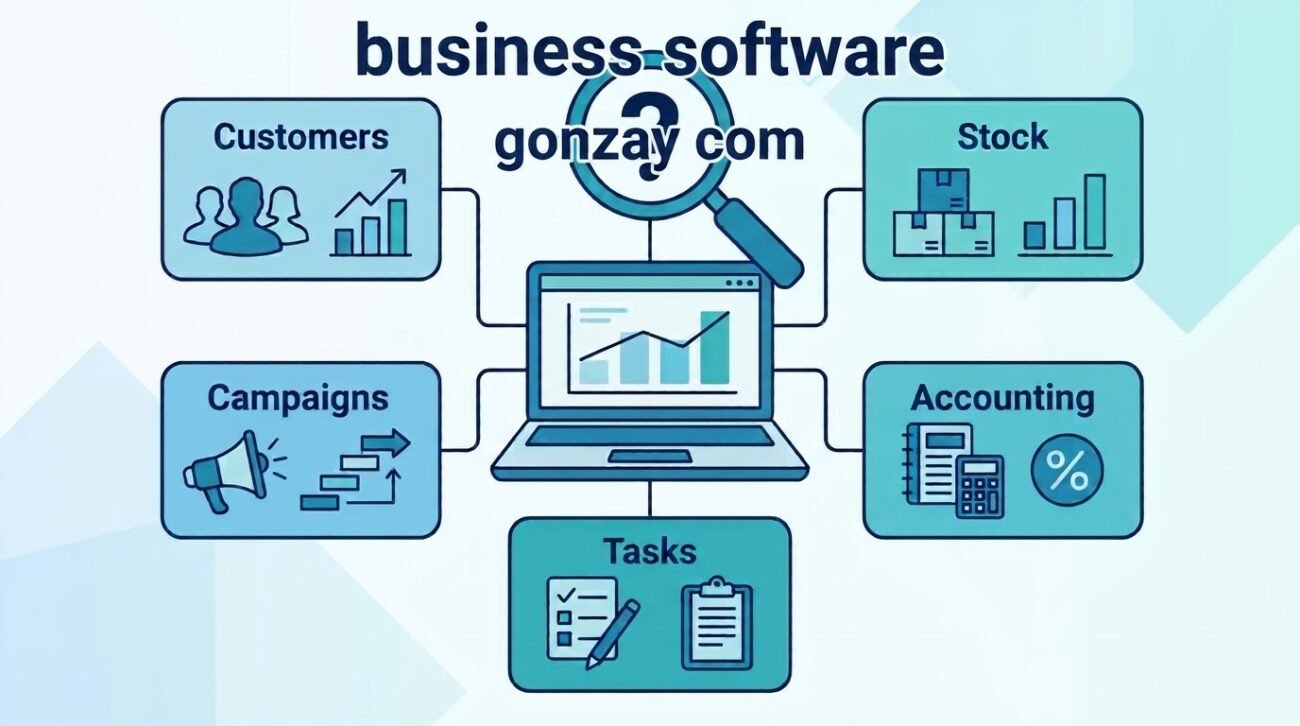
Search for Business Software Gonzay Com and you will find a mix of pages that treat it as a product, a service or a guide. That is understandable: the phrase is the title of a page on a website branded Gonzay.com, and it reads like the name of a software platform. This article separates what those websites actually publish from what business software is and how to choose it. If you have never visited Gonzay.com, you can still use the second half as a practical buyer’s guide.
Throughout, we label statements as verified on the site (we saw it on the page), general explanation (standard business-software knowledge) or our assessment. OTechHub has not tested any of the products named.
What Is Business Software Gonzay Com?
Verified on the site. “Business Software Gonzay Com” is the title of a page at gonzays.com, a website that brands itself Gonzay.com. The page lists categories of business tools (CRM, accounting, project management, marketing automation, analytics) and names well-known third-party products under each, including HubSpot, Zoho, Salesforce, QuickBooks, Xero, Trello, Asana, Mailchimp and Power BI. It also states that “Gonzay.com Services” provide software solutions.
What we did not find. The page names no Gonzay-built software product. We found no product documentation, trial, demo, download, pricing or integration list for such a product, and no customer names tied to software work. Its FAQ answers (for example, that AI is “included” and that integration is “a core feature”) are not supported by any specification we could see.
Our assessment. On the evidence available, the phrase most plausibly refers to an informational page about software categories published by a digital services site, not a verifiable software product. If you are considering paying for anything described as Gonzay business software, ask for a named product, a written scope and a contract before you commit.
The business software market includes a wide range of solutions designed for different operational needs. Companies researching available platforms can also explore our overview of [B2B SaaS and AI companies in the USA] to understand the broader software industry.
Understanding Gonzay.com and Its Digital Content
Three similar domains appear in searches, and they should not be assumed to be the same:
| Domain | What we found |
|---|---|
| gonzay.com | A live site titled “Gonzay Digital Guides for Australia & USA.” It describes itself as a digital media platform and full-service marketing agency, lists services such as SEO, local SEO, Shopify SEO, Magento, link building and content writing, and has a Technology & Software category. We reviewed only its homepage. |
| gonzays.com | A separate-looking site that also calls itself Gonzay.com. It lists digital marketing, PPC, web development and content services, plus a menu of guides on topics from renovation to travel. Its About page names a founder, Samuel Bennett. It hosts the “Business Software Gonzay Com” page discussed above. |
| gonzaycom.com | We could not review it: the site blocks automated access. We make no statement about its content. |
The two sites we could read use different designs and URL structures. Each presents itself as Gonzay.com, but we could not verify that the same person or company runs both, and the gonzay.com pages we saw did not name an owner. Treat them as separate until you have confirmed otherwise, for instance by comparing registration records and contact details.
What gonzays.com publishes is broad: digital marketing and SEO guides, technology and AI notes, shopping, fashion and lifestyle pages, and service pages. Its homepage also carries self-reported figures (such as a client count and average traffic growth) and testimonials with no named clients or sources. We could not verify them and do not repeat them as fact. It also lists marketing service prices (starter, growth and premium PPC plans); these relate to advertising, not software.
For wider context on how organizations should govern new tools such as AI features, see our piece on AI transformation and business governance.
What Is Business Software?
General explanation. Business software is any application that helps an organization run its operations: managing customers, money, projects, stock, sales and communication. It can be bought as a subscription (software as a service), installed on your own servers, or custom-built. Most small firms start with subscription tools because setup is quick and upfront cost is lower, though recurring fees, limits on customization and dependence on a vendor are real trade-offs.
Common Types of Business Software
Customer Relationship Management (CRM)
A CRM stores contacts, conversations and deals in one place so a team can see who a customer is and what has happened. Good fit for any business with repeat customers or a sales pipeline. Watch for data import limits, user-seat pricing and how well the CRM connects to email and billing.
Enterprise Resource Planning (ERP)
ERP systems join finance, inventory, purchasing, manufacturing and HR data in one system. They suit companies whose departments constantly pass data to each other, such as manufacturers or distributors. They are heavier to implement than most small-business tools, so many startups do not need one yet.
Accounting and Financial Management
Accounting software records transactions, issues invoices, tracks expenses and produces reports for tax and planning. Check that it supports your country’s tax rules, bank feeds, and the way your accountant likes to work.
Project Management and Team Collaboration
These tools assign tasks, set deadlines and show progress, often alongside chat and file sharing. They help when several people share work across time zones or clients. Too many boards and notifications can create more work, so keep the structure simple.
E-commerce and Inventory Management
E-commerce platforms run the online store and checkout; inventory systems track stock levels, suppliers and reorder points. Often one product covers both at small scale. Look at how stock syncs across sales channels and how overselling is prevented.
Marketing Automation and AI Tools
Marketing automation sends emails or messages triggered by customer behavior, and scores or segments leads. AI features may draft copy, suggest segments or summarize data. Treat AI output as a draft to review, and check what customer data is sent to the vendor’s models.
| Category | Main purpose | Typical users |
|---|---|---|
| CRM | Track leads, customers and deals | Sales teams, service businesses, shops with repeat buyers |
| ERP | Unify finance, stock, purchasing and operations | Mid-size manufacturers, distributors, multi-department firms |
| Accounting | Invoices, expenses, reporting, tax records | Nearly every business |
| Project management | Plan tasks and deadlines | Agencies, remote teams, project-based firms |
| E-commerce and inventory | Sell online and track stock | Retailers, wholesalers, makers |
| Marketing automation | Run triggered campaigns | Marketing teams, online stores, subscription businesses |
How Business Software Helps Small Businesses
Example (hypothetical, for illustration only). Harbor & Pine is a four-person online shop selling handmade candles.
- CRM: customer names, order history and notes sit in one place, so the owner can see who buys every autumn.
- Inventory software: stock counts update when an order is placed, and a low-stock alert prompts a reorder before a popular scent sells out.
- Accounting software: each sale and supplier bill is recorded, so month-end reporting takes less manual entry.
- Project management: the team tracks tasks for a holiday launch, from photography to packaging.
- Marketing automation: a welcome email goes to new subscribers, and past buyers get a reminder before the holidays.
These systems work better when connected: an order could update stock and create an accounting entry, and a CRM tag could trigger an email. Whether that is possible depends on the specific products chosen, since some connect natively, some need a third-party connector, and some cannot connect at all. Test integrations during a trial before relying on them.
The benefits are mainly fewer manual steps, less duplicate data entry, clearer records and faster answers. The software does not fix an unclear process; it speeds up a good one.
Examples of Popular Business Software
Businesses use different software platforms depending on their operational needs, company size and budget. Some tools specialize in one business function, while others combine several features into a single platform.
Here are examples of commonly used business software:
| Software | Category | Main purpose |
|---|---|---|
| HubSpot | CRM | Managing customer relationships, sales leads and interactions |
| Zoho CRM | CRM | Tracking prospects, deals and customer information |
| QuickBooks | Accounting | Managing invoices, expenses and financial records |
| Xero | Accounting | Bookkeeping and financial reporting |
| Trello | Project management | Organizing tasks and monitoring project progress |
| Asana | Project management | Coordinating team responsibilities and deadlines |
| Shopify | E-commerce | Creating and managing online stores |
| Mailchimp | Marketing automation | Managing email campaigns and subscriber communication |
These platforms are examples rather than endorsements. Their features, pricing, integrations and limitations vary by subscription plan. Businesses should review current product documentation and test important workflows before choosing a solution.
How to Choose the Right Business Software
- Start with the problem. Write down the two or three tasks costing you the most time or causing the most mistakes.
- List must-have features. Separate essentials from nice-to-haves, and ignore feature lists you will not use.
- Check integration. Confirm it connects with your accounting, store, email and payment tools, and ask how data is exported if you leave.
- Estimate full cost. Include per-user fees, add-ons, setup, training and the cost of changing later.
- Test with real work. Use a free trial or demo, and have the people who will use it try it.
- Review security and support. See the next sections, and check response times and documentation.
- Plan for growth. Ask what happens when you double your users or orders.
- Pilot before full rollout. Start with one team or process, then expand.
Be cautious of any pitch that promises a single “all-in-one” system without naming the product, listing its limits or showing its documentation.
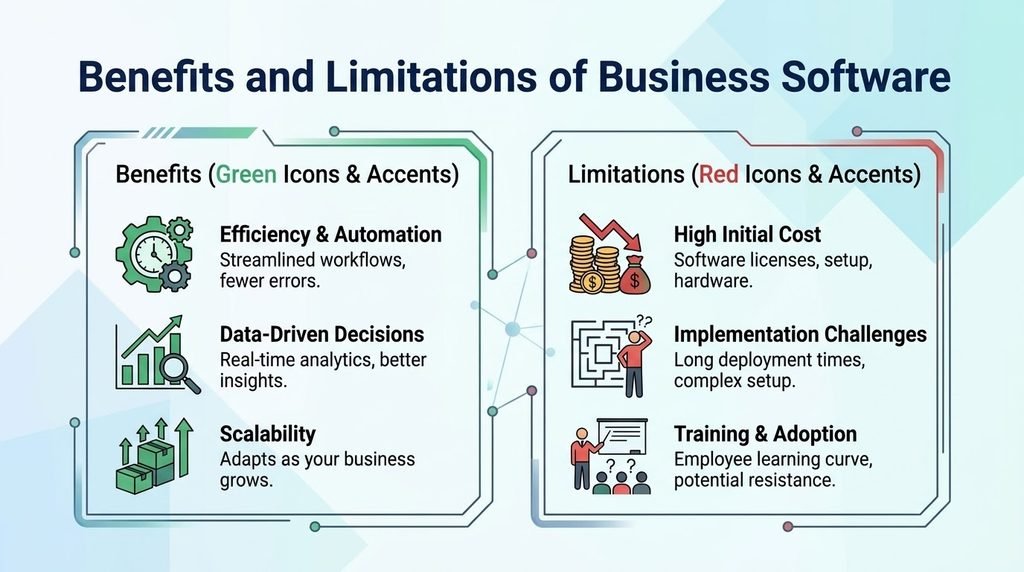
Benefits and Limitations of Business Software
| Benefits | Limitations |
|---|---|
| Less manual data entry and fewer errors | Subscription costs add up as users grow |
| One shared source of customer and financial data | Switching vendors can be slow and costly |
| Faster reporting and decisions | Staff need training, and adoption can lag |
| Remote access for distributed teams | Integrations vary and may need extra tools |
| Scales more easily than spreadsheets | Customization may be limited on standard plans |
| Often quick to start with cloud tools | You depend on the vendor’s security and uptime |
Security and Privacy Considerations
Business software holds customer records, financial data and sometimes employee information, so security is part of the buying decision. Ask vendors about:
- Access control: can you give each user only the permissions they need, and require multi-factor authentication?
- Data location and ownership: where is data stored, and can you export or delete it?
- Backups and recovery: how often are backups made, and how fast can service be restored?
- Updates: does the vendor patch quickly, and do you control when updates apply for self-hosted tools?
- AI and data use: if the product has AI features, is your data used to train models, and can you opt out?
- Compliance: does the vendor support the rules that apply to you, such as local privacy and tax law?
Inside your own company, use unique passwords or a password manager, turn on multi-factor authentication, remove access when staff leave and keep software updated. For practical small-business guidance, CISA publishes cyber guidance for small businesses.
Is Gonzay.com a Business Software Provider or an Information Platform?
What the evidence supports. The Gonzay-branded sites we reviewed present as content and digital-services websites: guides, SEO and PPC, web development, Magento and related services. The business software page we found is an editorial overview that recommends established third-party tools. We did not find a named, documented software product owned or sold by Gonzay.
This assessment distinguishes between the Gonzay.com brand name, the gonzays.com website and the specific page titled Business Software Gonzay Com. These references should not automatically be treated as the same legal business or software provider. Our assessment is based on the publicly available website content we reviewed, rather than independent verification of company registration, ownership or private business operations.
What it does not support. We cannot say that Gonzay builds or sells CRM, ERP, accounting or any other software, that it integrates with any named product, or that it delivers particular business results. Nor can we say anything about its reliability, legitimacy or ownership beyond what the pages themselves state.
Our assessment. It is safest to treat the Business Software Gonzay Com page as an information resource, and to treat any service offer as a marketing or development service to be evaluated like any vendor. Before engaging anyone: ask for the legal business name, a written scope, references you can contact, and sample work. The same checklist applies to every vendor, Gonzay or otherwise.
If you want to see the page yourself, it sits on gonzays.com, the site that hosts the phrase as a page title.
Frequently Asked Questions
What is Business Software Gonzay Com? It is the title of a page on gonzays.com, a site branded Gonzay.com. The page discusses categories of business software and names third-party tools. We found no Gonzay-built software product described there.
What types of business software are commonly used? CRM, accounting, project management, marketing automation, e-commerce and inventory tools, analytics and, for larger firms, ERP.
Does Gonzay.com provide business software? We could not verify that. The pages we reviewed present digital services and guides, and the software page recommends other companies’ products. Ask any vendor for product documentation and a written scope.
How can business software help small businesses? It reduces repeated data entry, keeps customer and financial records in one place, speeds up reporting and helps teams coordinate. Results depend on choosing tools that fit your processes.
What should businesses check before choosing software? Your specific needs, integrations, full cost, security features, data export options, vendor support and a trial with real work.
Is business software necessary for startups? Not always on day one. Many startups begin with a few simple tools, such as accounting and a shared task list, and add a CRM or automation as volume grows. Spreadsheets can work early, but become error-prone as data and staff increase.
Final Thoughts
Business Software Gonzay Com is best understood as a search phrase pointing to an informational page, not a verified software product. The sites carrying the Gonzay.com name are related by name, but we could not confirm they share an owner, and we found no documented software product behind the phrase. Meanwhile, the underlying question, which business software is right for you, has a clear answer path: define the problem, shortlist tools by function, test integrations, check security and cost, and pilot before you commit. Whichever vendor you consider, verify who they are and what exactly they will deliver in writing.

One thought on “Business Software Gonzay Com: A Guide to Business Tools and Digital Solutions”