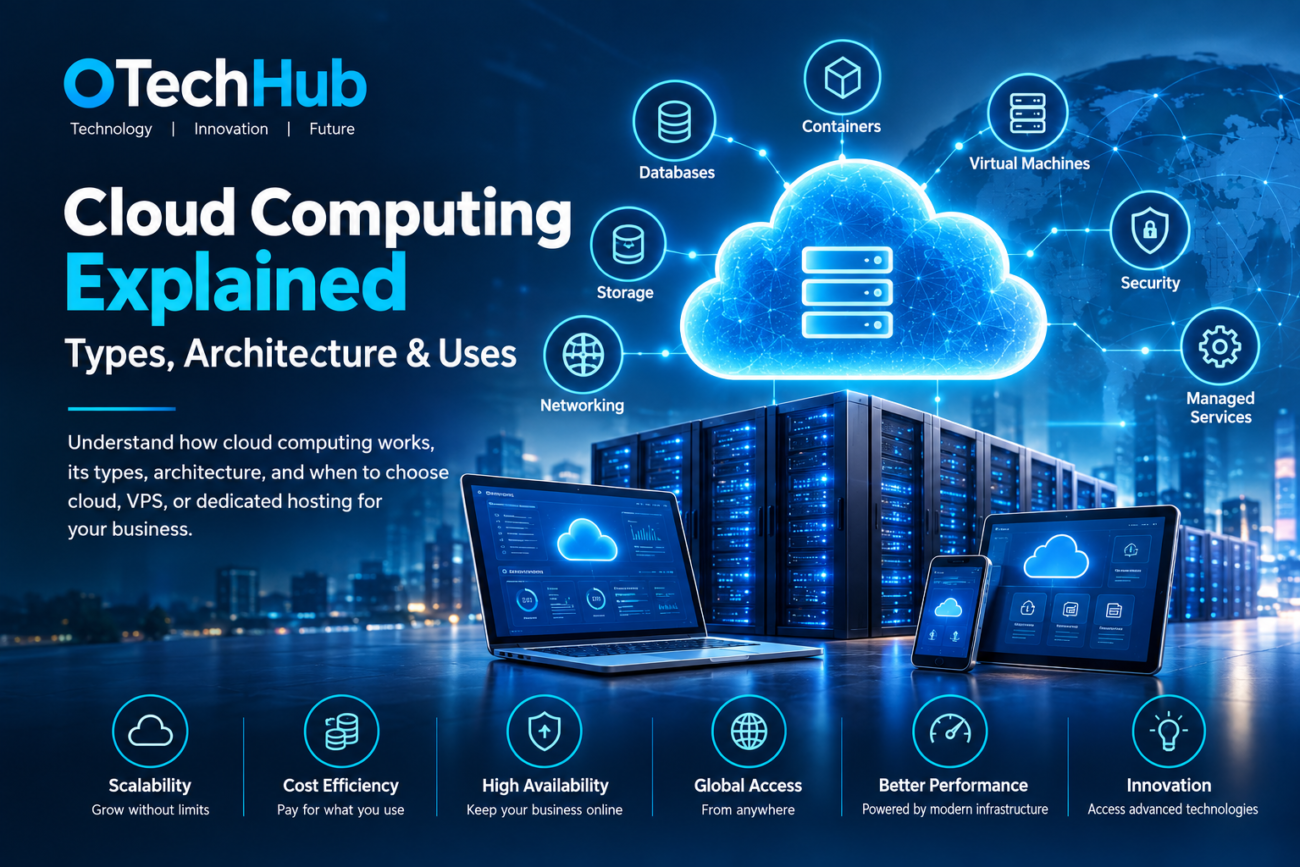
Cloud computing has become a fundamental part of modern digital infrastructure. From eCommerce websites and streaming platforms to business applications and artificial intelligence, many online services depend on remotely managed computing resources to store information, process requests, and deliver content.
Instead of purchasing and maintaining every server, storage device, and networking component themselves, organizations can obtain computing resources from cloud providers. These services range from virtual machines and databases to application development platforms and managed software.
However, cloud computing is not automatically the best solution for every workload. A small business website may operate more economically on a virtual private server (VPS), while a resource-intensive application might benefit from dedicated hardware. The right decision depends on performance requirements, workload patterns, security, technical expertise, and long-term operating costs.
This guide explains how cloud computing works, the technologies behind it, its different service models, and when businesses should choose cloud infrastructure instead of VPS or dedicated hosting.
What Is Cloud Computing?
Cloud computing is the delivery of computing resources over a network, usually the internet. These resources include processing power, memory, storage, databases, networking, software, and application development environments.
Traditionally, an organization wanting to launch an online application might purchase physical servers, install them in a data center, configure networking, and maintain the equipment. This approach requires capital investment, physical space, power, cooling, and technical staff.
Cloud computing provides another option. Organizations can rent computing resources from a provider and configure them according to their requirements. They can deploy virtual machines, store files, operate databases, and use managed services without owning the underlying physical equipment.
For example, an online retailer can run its website on virtual servers, store product images in object storage, use a managed database for orders, and distribute static content through a content delivery network (CDN).
Cloud computing is therefore much broader than online file storage. It provides an entire ecosystem of infrastructure and software services that support digital operations.
For a foundational overview, see AWS’s explanation of cloud computing and Google Cloud’s cloud computing guide.
How Does Cloud Computing Work?
Cloud computing depends on physical infrastructure, virtualization, networking, storage systems, and management software working together.
Cloud providers operate data centers containing servers, storage devices, network switches, routers, power systems, and cooling equipment. These facilities provide the physical resources required to run cloud services.
A customer accesses those resources through a web console, application programming interface (API), command-line interface, or other management tool.
A simplified process looks like this:
- Physical infrastructure: Data centers provide the processors, memory, storage, and networking equipment.
- Virtualization and resource management: Software divides and allocates physical resources into usable computing environments.
- Service provisioning: Customers request virtual machines, databases, storage, or other services.
- Application deployment: Developers install or deploy websites, business applications, and other workloads.
- Monitoring and management: Performance, availability, security, and resource consumption are monitored.
- Scaling and maintenance: Resources can be adjusted as workloads change, depending on the service and architecture.
When a visitor opens a website hosted in the cloud, the browser sends a request through the internet. The hosting environment receives the request, processes it using the application and database where necessary, and returns the requested content.
The actual architecture can be simple or complex. A small website might run on one virtual machine, while a large application could use multiple services distributed across different infrastructure components.
Understanding Cloud Computing Architecture
Cloud architecture is the design that determines how infrastructure, software, storage, networking, and application components interact.
A typical architecture has several important layers.
1. Frontend Layer
The frontend is the part users interact with. It may include a website, mobile application, browser interface, or business dashboard.
When someone signs in to an online service, searches for a product, or submits a form, the frontend sends requests to backend systems.
2. Backend Layer
The backend processes requests and manages application logic. It may include web servers, application services, databases, authentication systems, and other components.
For example, when a customer places an order, the backend may verify the product’s availability, calculate the total, record the transaction, and initiate payment processing.
3. Computing and Storage Layer
This layer provides the resources needed to operate applications and store information. It can include virtual machines, containers, block storage, object storage, and managed databases.
Different workloads require different resource configurations. A database may need fast storage and sufficient memory, while a static website may require relatively little processing power.
4. Networking and Security Layer
Networking connects the application components and allows users to access services. It may include virtual networks, firewalls, load balancers, private connections, and DNS services.
Security controls such as identity management, encryption, access policies, and network filtering help protect the environment.
5. Management and Monitoring Layer
Cloud environments need continuous management. Administrators monitor system performance, application errors, resource consumption, security events, and service availability.
Automation tools can also provision resources, deploy application updates, and respond to predefined conditions.
For more technical detail, Google Cloud explains the components and design principles in its guide to cloud architecture.
Virtualization: The Technology Behind Many Cloud Services
Virtualization allows one physical computing system to operate multiple isolated virtual environments.
A software layer called a hypervisor manages virtual machines (VMs) and allocates physical resources such as CPU, memory, and storage among them.
Each virtual machine can run its own operating system and applications. This allows different workloads to operate on the same physical hardware while maintaining logical separation.
Consider a physical server with 32 CPU cores and 128 GB of RAM. A provider could allocate portions of its resources to several virtual machines, depending on the hardware capacity, workload requirements, and resource-management policies.
Virtualization provides several benefits:
- Better utilization of physical hardware.
- Isolation between virtual environments.
- Flexible allocation of computing resources.
- Faster provisioning than purchasing and installing separate physical servers.
- Support for different operating systems and applications.
However, virtualization does not mean that every VM has unlimited resources. Each environment has defined allocations, and overall performance still depends on the underlying hardware and provider configuration.
It is also important to distinguish virtualization from cloud computing. Virtualization is a technology used to abstract hardware resources, while cloud computing is a service delivery model that provides computing resources on demand. A virtual server can exist without being part of a full cloud platform.
AWS provides a useful technical explanation in its guide to virtualization.
Containers and Their Role in Cloud Infrastructure
Containers are another important technology used in modern application environments.
A container packages application code together with the libraries, dependencies, and configuration needed to run it. This makes it easier to deploy the same application across compatible development, testing, and production environments.
Unlike a traditional virtual machine, a container generally shares the host operating system’s kernel rather than running a separate full operating system for each application environment.
This makes containers relatively lightweight and useful for deploying applications as separate services.
For example, an eCommerce platform could use different containers for:
- The website interface.
- Product catalog services.
- Customer authentication.
- Order processing.
- Background tasks.
These components can be developed, updated, and scaled separately when the application architecture supports it.
Container orchestration platforms, such as Kubernetes, help manage container deployment, networking, scheduling, and recovery across multiple machines.
Containers do not automatically provide high availability or security. They still require appropriate resource limits, image management, network policies, monitoring, and access controls.
Google Cloud provides a technical introduction in its guide to what containers are.
Main Types of Cloud Computing
Cloud computing environments are commonly classified according to how infrastructure is deployed and managed.
1. Public Cloud
A public cloud is operated by a third-party provider that makes computing services available to multiple customers.
Customers rent resources such as virtual machines, databases, storage, and networking without purchasing the physical infrastructure.
Public cloud services are useful for organizations that need flexible capacity, access to managed technologies, or infrastructure in different geographic locations.
Potential advantages include:
- Access to computing resources without owning hardware.
- Flexible service configurations.
- Multiple infrastructure and software options.
- Opportunities to scale workloads.
- Managed services that reduce administrative work.
However, organizations must understand pricing, data transfer charges, security responsibilities, and resource limits before deployment.
2. Private Cloud
A private cloud is an environment dedicated to one organization. It may operate in the organization’s own data center or through a managed infrastructure provider.
This approach offers greater control over resource configuration, access policies, and infrastructure management.
Private cloud can be appropriate for organizations with specific data governance, operational, or regulatory requirements.
Its disadvantages can include higher setup costs, maintenance responsibilities, and the need for experienced infrastructure teams.
3. Hybrid Cloud
Hybrid cloud combines private infrastructure with public cloud services.
For example, a company might maintain a sensitive internal database in a private environment while running its public-facing website on a public cloud platform.
This model can support organizations that need to retain certain systems while gradually adopting cloud services.
The main challenge is coordinating networking, identity management, security, monitoring, and data movement across environments.
4. Multi-Cloud
A multi-cloud strategy uses services from more than one cloud provider.
A company might use one provider for computing, another for analytics, and a separate platform for specialized services.
This can help organizations select services based on technical and commercial requirements. However, using multiple providers also introduces additional management, security, billing, and integration complexity.
Multi-cloud should solve a defined business problem rather than simply increase the number of platforms being used.
Cloud Computing Service Models: IaaS, PaaS, and SaaS
Cloud services also differ according to how much infrastructure and software management the provider handles.
Infrastructure as a Service (IaaS)
IaaS provides access to computing infrastructure such as virtual machines, storage, and networking.
Customers generally manage their operating systems, installed applications, and many security configurations, while the provider operates the underlying physical infrastructure.
This model suits businesses that need control over their server environments without purchasing physical hardware.
Platform as a Service (PaaS)
PaaS provides a managed environment for building, testing, and deploying applications.
The provider handles much of the underlying infrastructure and platform maintenance, allowing developers to concentrate on application code.
This can reduce server administration work, although customers still need to manage their application logic, data, and service configuration.
Software as a Service (SaaS)
SaaS delivers complete software applications over the internet.
Examples include online email services, document collaboration platforms, project management applications, and customer relationship management systems.
The provider manages the application and underlying infrastructure, while customers use the software through a browser or dedicated application.
AWS provides further explanations in its guide to cloud computing service models.
Cloud vs VPS vs Dedicated Server: What Is the Difference?
Cloud infrastructure, VPS hosting, and dedicated servers can all support websites and applications, but they offer different approaches to resource allocation, scalability, and management.
A VPS is a virtualized environment with allocated resources. A dedicated server provides an entire physical machine to one customer. Cloud infrastructure can combine virtual machines, distributed storage, networking, managed services, and automated resource management.
| Feature | VPS Hosting | Dedicated Server | Cloud Infrastructure |
|---|---|---|---|
| Hardware | Virtual environment on physical hardware | Entire physical machine | Provider-managed infrastructure |
| Resource allocation | Defined virtual resources | Physical server resources | Depends on selected services and configuration |
| Scalability | Usually requires plan or resource upgrades | Hardware upgrades or migration | Often offers flexible scaling |
| Management | Managed or unmanaged | Managed or unmanaged | Varies by service model |
| Customization | Generally good | Extensive hardware and software control | Varies by service |
| Pricing | Often predictable monthly plans | Usually recurring server cost | Often usage-based or subscription-based |
| Best suited for | Growing websites and applications | Consistent, resource-intensive workloads | Variable workloads and complex applications |
One important distinction is that cloud infrastructure is not always distributed across multiple physical servers. A cloud provider may offer a single virtual machine with fixed resources. The broader cloud platform may provide additional services for scaling, storage, backups, and networking.
Likewise, a VPS can be hosted on powerful infrastructure but still have fixed resource limits. The exact capabilities depend on the provider’s architecture.
When Should a Business Choose Cloud Infrastructure Instead of VPS or Dedicated Hosting?
The best hosting environment depends on the workload, not on which technology sounds more advanced.
Choose Cloud Infrastructure When Demand Changes Frequently
Cloud infrastructure is useful when website or application traffic varies significantly.
Consider an online retailer that receives moderate traffic during normal weeks but experiences large increases during seasonal promotions. A cloud architecture with suitable autoscaling and load balancing can add capacity when demand rises and reduce it when traffic returns to normal.
A fixed VPS may require manual upgrades or migration to handle the same increase.
Cloud scaling must still be configured correctly. Autoscaling does not guarantee unlimited capacity, and poorly controlled scaling can increase costs.
Choose Cloud When You Need Managed Services
Businesses with small technical teams may prefer managed databases, application platforms, object storage, and other cloud services.
For example, a startup developing a customer booking application may want to spend more time improving its product rather than maintaining database servers and operating systems.
A managed cloud database can reduce some administrative responsibilities, although the business remains responsible for application-level security, data handling, and configuration.
Choose Cloud When Your Application Has Multiple Components
An application with separate services for user accounts, payments, search, notifications, and reporting may benefit from a cloud architecture.
Each component can have different resource requirements. A search service might need more processing capacity, while a notification service may experience short bursts of activity.
Cloud platforms offer tools to manage these separate workloads, provided the application has been designed to use them effectively.
Choose a VPS When Your Workload Is Predictable and Cost Matters
A VPS can be a sensible choice for a small business website, WordPress installation, development environment, or application with relatively stable resource requirements.
For example, a company website receiving a consistent number of visitors may not need complex autoscaling, managed databases, or multiple cloud services.
A VPS can provide sufficient control and performance with a more straightforward monthly cost structure.
Choose a Dedicated Server When You Need Consistent Hardware Resources
Dedicated hosting can be appropriate for workloads requiring sustained CPU performance, substantial memory, specialized hardware, or extensive server-level control.
Examples include certain database systems, high-performance computing workloads, large media-processing operations, and applications that benefit from predictable access to physical resources.
Dedicated hardware can also be useful when software licensing, hardware configuration, or compliance requirements make shared infrastructure unsuitable.
However, a dedicated server does not automatically provide redundancy. If the physical machine fails, services may remain unavailable unless a separate recovery or failover arrangement exists.
Choose a Hybrid Approach When One Environment Cannot Meet Every Requirement
Businesses do not always need to move every workload into one infrastructure model.
A company might run its main application on dedicated hardware while using cloud object storage for backups and a managed cloud service for analytics.
Another organization may keep a legacy database on a VPS while deploying new customer-facing services in the cloud.
The most suitable architecture is often the one that matches each workload’s specific requirements without introducing unnecessary complexity.
Practical Example: Deploying an Online Store on Cloud Infrastructure
Consider a growing online store selling electronics and accessories.
Initially, the business may operate a website on a single server. As product listings, customer accounts, and order volumes increase, the infrastructure may need additional capacity and more reliable data management.
A cloud-based deployment could be structured as follows:
1. Website and application servers
The website runs on virtual machines or a managed application platform. Multiple instances can be used when the application requires additional capacity.
2. Load balancer
A load balancer distributes incoming requests across available application instances. This can help prevent one server from handling all traffic.
3. Managed database
Customer accounts, product details, and order information are stored in a database service. Backups, access policies, and recovery procedures are configured according to business requirements.
4. Object storage
Product images, downloadable documents, and other static files are stored separately from the main application server.
5. Content delivery network
A CDN delivers static content from locations closer to visitors, helping reduce latency and unnecessary requests to the origin infrastructure.
6. Monitoring and alerts
The business monitors server performance, application errors, database health, storage usage, and unusual traffic patterns.
7. Backup and recovery
Independent backups are maintained, and the company periodically tests whether important data and services can be restored.
This design separates different application responsibilities. If image storage grows, the business can expand storage without necessarily upgrading the main application server. If visitor traffic increases, additional application capacity can be introduced.
The architecture also introduces more components to configure and pay for. A smaller store may not need all of them immediately. It can begin with a simpler design and introduce additional services when actual requirements justify the investment.
How to Control Cloud Computing Costs
Cloud computing can reduce upfront infrastructure spending, but it does not guarantee lower total costs.
Usage-based services can become expensive when resources remain active unnecessarily, storage grows without review, or applications transfer large amounts of data.
Businesses can manage expenditure through several practices:
Monitor Resource Utilization
Review CPU, memory, storage, and network consumption regularly. Oversized virtual machines can waste money when actual workloads use only a small portion of their capacity.
Remove Unused Resources
Development servers, temporary testing environments, unused storage volumes, and abandoned snapshots can continue generating charges.
Create procedures to identify and remove resources that are no longer required.
Set Budgets and Alerts
Use provider billing dashboards and budget notifications to identify unusual spending before it becomes a major problem.
Review Data Transfer Costs
Moving large amounts of information between regions, services, or external networks may create additional charges. Application architecture should account for data movement.
Choose Appropriate Storage Classes
Frequently accessed application data may need fast storage, while older backups and rarely accessed files may be suitable for lower-cost storage options.
The correct choice depends on access frequency, recovery requirements, and retrieval fees.
Compare Total Cost of Ownership
A meaningful comparison should include infrastructure charges, support, software licensing, administration, backups, monitoring, security, and migration expenses.
A VPS with a predictable monthly price may be less expensive than a complex cloud architecture for a small, stable workload.
Cloud Security and the Shared Responsibility Model
Cloud providers operate and protect their underlying infrastructure, but customers still have security responsibilities.
The exact division of responsibility depends on the service model.
With IaaS, customers generally manage operating systems, applications, access permissions, and many network and security configurations. With managed platforms and SaaS, the provider handles more of the underlying technology, but customers remain responsible for matters such as account security, user access, and appropriate data handling.
Businesses should pay attention to:
- Multi-factor authentication for administrative accounts.
- Least-privilege access permissions.
- Encryption for sensitive information.
- Secure network configurations.
- Operating system and application updates.
- Centralized logging and monitoring.
- Independent backups and recovery testing.
A cloud provider’s security controls cannot compensate for exposed credentials, insecure application code, or incorrectly configured storage permissions.
Security should be planned during deployment rather than added only after an incident.
Planning a Cloud Migration
Moving an existing website or business application into the cloud requires more than copying files to a new server.
Before migration, organizations should identify application dependencies, database requirements, storage needs, security policies, and expected performance.
A practical migration process includes:
- Assess the existing workload: Document its architecture, resource usage, dependencies, and operational requirements.
- Choose a migration approach: Decide whether to move the application with minimal changes, modernize selected components, or rebuild parts of the system.
- Prepare the target environment: Configure networking, identity, security, backups, and monitoring.
- Transfer application data: Migrate files and databases using an appropriate process.
- Test functionality: Check performance, permissions, integrations, and application behavior.
- Plan the cutover: Update DNS or routing when the new environment is ready.
- Monitor after migration: Watch for errors, unexpected costs, and performance changes.
Microsoft’s Cloud Adoption Framework provides guidance on planning, preparing, migrating, securing, governing, and managing cloud environments.
Not every application needs to be migrated. If an existing VPS or dedicated server meets business requirements reliably and economically, retaining it may be the better decision.
Frequently Asked Questions About Cloud Computing
1. Is cloud computing better than VPS hosting?
Not in every situation. Cloud infrastructure can offer more flexible scaling and managed services, while VPS hosting may provide sufficient resources at a more predictable cost for smaller workloads.
2. Is a VPS considered cloud computing?
A VPS uses virtualization, but virtualization alone does not make a service a full cloud platform. Some VPS products are delivered through cloud infrastructure, while others operate on more limited server environments.
3. Is cloud computing more expensive than dedicated hosting?
It depends on resource consumption, service configuration, management requirements, and contract pricing. A dedicated server may be more economical for a stable, continuously demanding workload, while cloud services may be more cost-effective for variable workloads.
4. Can a small business use cloud computing?
Yes. Small businesses can use cloud services for website hosting, databases, backups, collaboration, and application development. They should begin with services that solve a clear requirement and monitor costs as usage grows.
5. What is the difference between cloud computing and cloud hosting?
Cloud computing is the broader delivery of computing resources over a network. Cloud hosting is the use of cloud-based infrastructure and services to operate websites and applications.
6. Are containers and virtual machines the same?
No. Virtual machines generally run their own operating systems on virtualized hardware. Containers package applications and their dependencies while sharing the host operating system’s kernel. Both technologies can be used together in cloud environments.
7. Does cloud computing eliminate the need for servers?
No. Cloud services still depend on physical servers and data centers. The difference is that the cloud provider manages the underlying infrastructure and makes computing resources available as services.
Conclusion
Cloud computing has changed how businesses access, deploy, and manage digital infrastructure. Through virtual machines, containers, managed databases, storage, and networking services, organizations can build applications without owning every part of the underlying hardware.
However, choosing cloud infrastructure should involve a practical assessment rather than assuming it is always superior to VPS or dedicated hosting.
Cloud services are particularly useful when workloads change frequently, applications have multiple components, or businesses need managed platforms and flexible resource allocation. VPS hosting remains suitable for predictable websites and smaller applications, while dedicated servers can serve workloads that require sustained hardware resources and extensive control.
The most effective infrastructure is the one that meets an organization’s technical requirements, security obligations, performance expectations, and budget.
As digital services continue to expand, understanding cloud architecture and hosting options can help businesses make better infrastructure decisions and prepare for future growth.
For more guides covering web hosting, dedicated servers, and related infrastructure topics, explore the OTechHub Web Hosting section and the Dedicated Servers Guide.

4 thoughts on “Cloud Computing Explained: Architecture, Types, Benefits, and Business Uses”